How I Built My Own AI-Powered Resume Builder for less than 1$ !
Updating my resume always felt like a chore. Google Docs, Canva, or LaTeX — nothing felt right. Either the formatting broke, the layout was rigid, or I couldn't quickly tailor it for a specific job application. So I built my own. An AI-powered resume builder that lives right inside my personal site

The Problem
Updating my resume always felt like a chore. Google Docs, Canva, or LaTeX — nothing felt right. Either the formatting broke, the layout was rigid, or I couldn't quickly tailor it for a specific job application.
So I built my own. An AI-powered resume builder that lives right inside my personal site.
What It Does
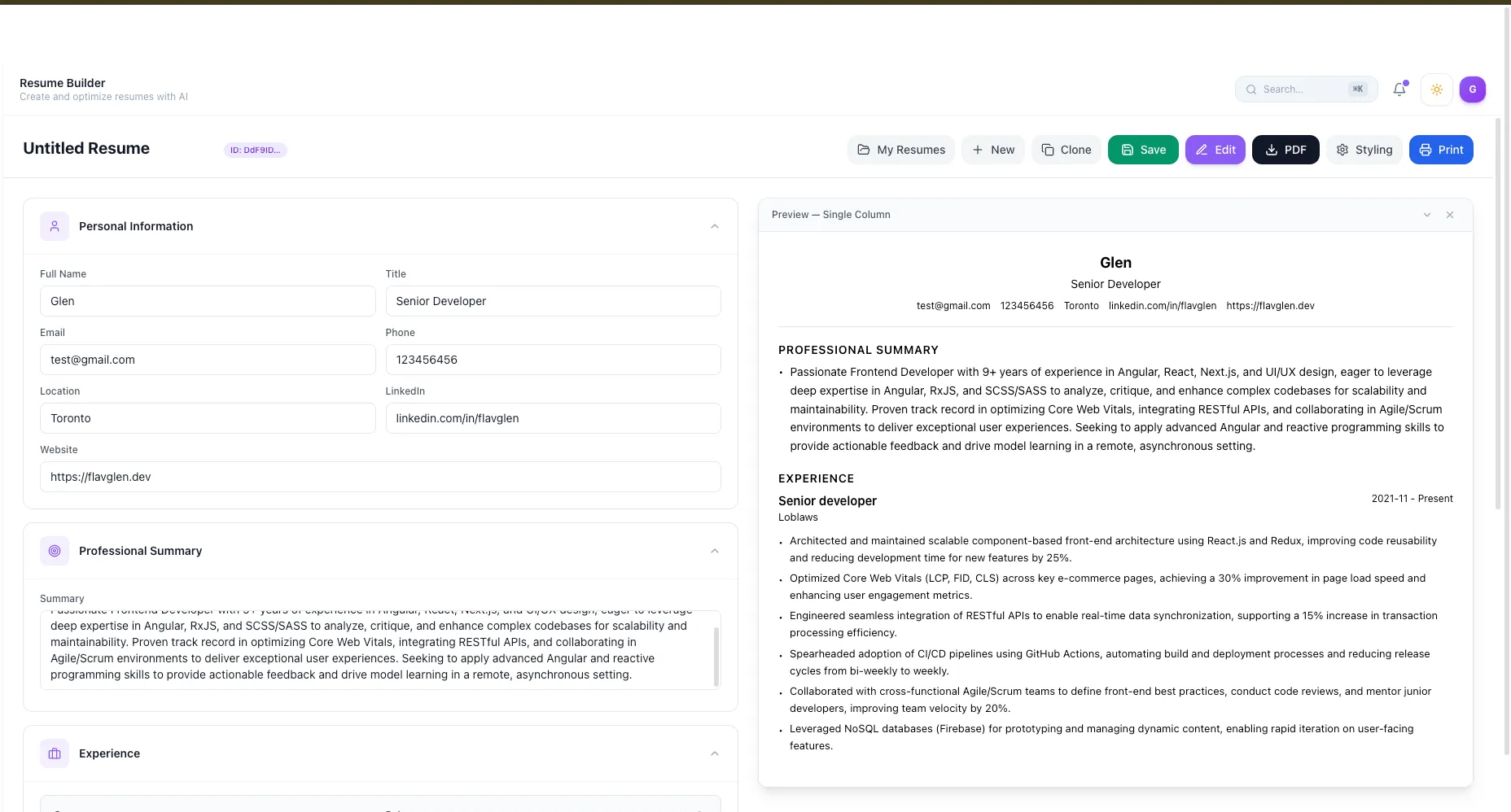
Fill in your details — personal info, experience, education, summary
Preview in real-time — see exactly what your resume looks like as you type
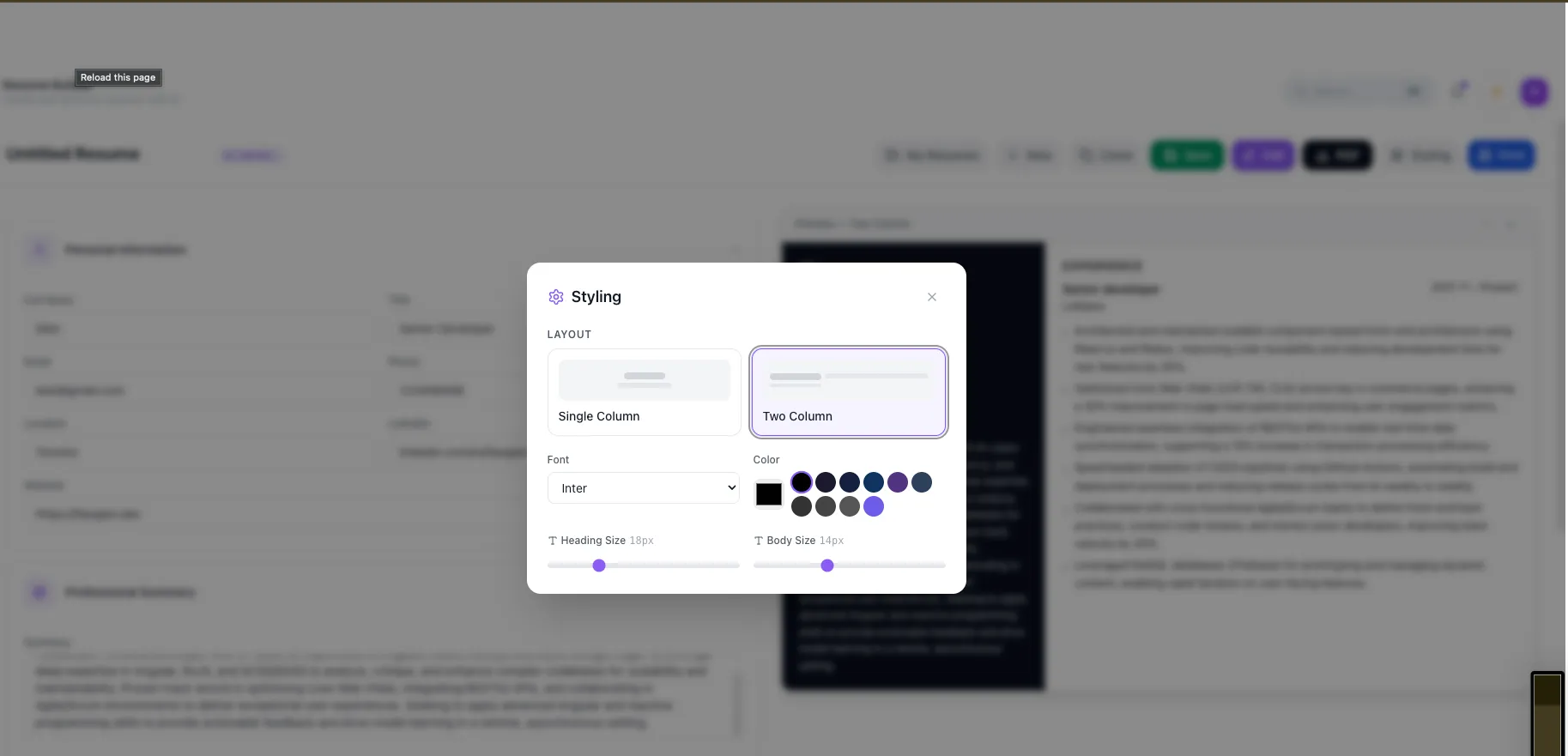
Switch between templates — single column or two column layouts
Customize fonts, colors, and sizes — full control over the visual style
Export to PDF — one click download
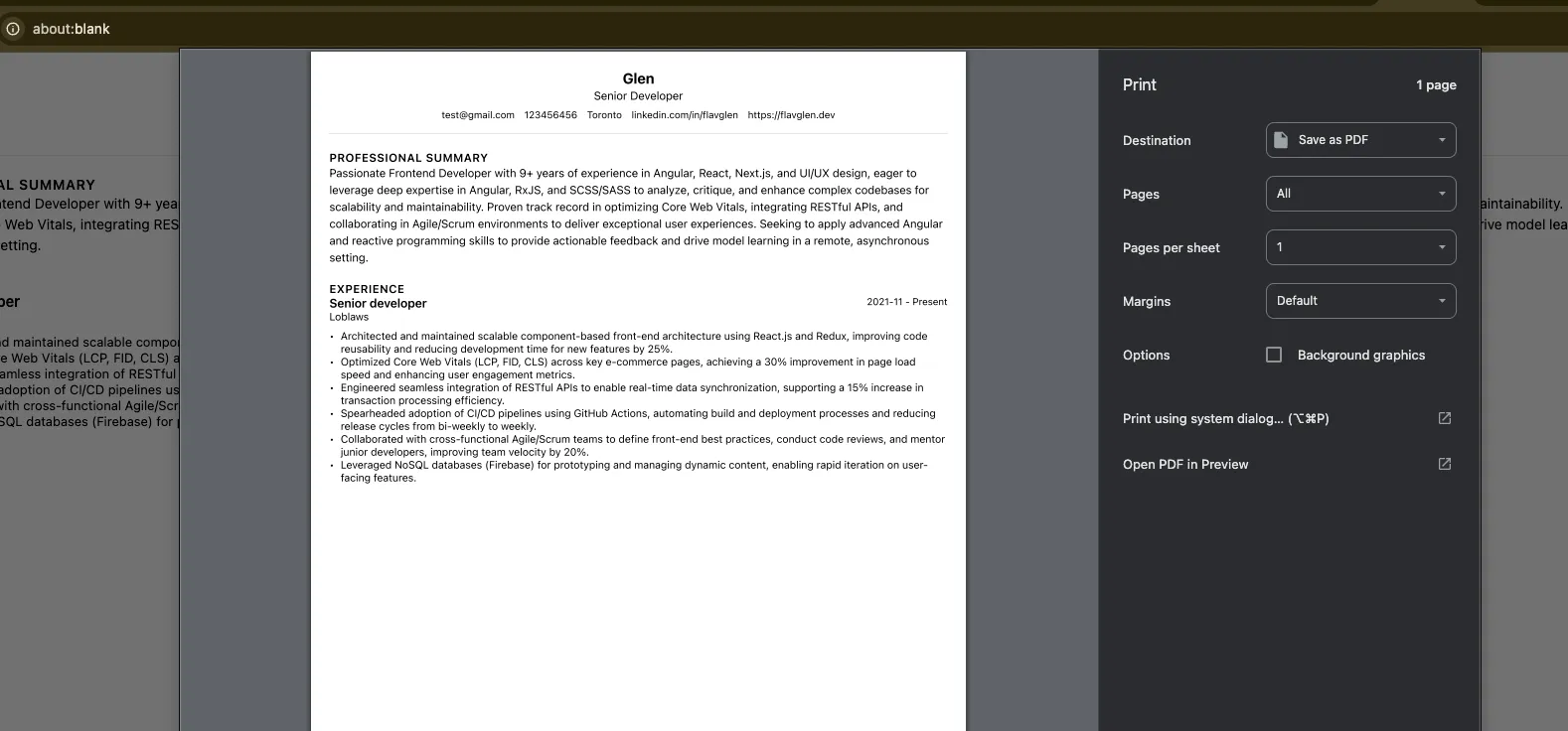
Print directly — browser-native print with full styling
Save, load, and clone resumes — keep multiple versions
Optimize with AI — paste a job description and let AI rewrite your bullet points to match
 How It Works
Data Flow
1. User fills out the form — Personal info, experience with bullet points, education, and a professional summary are captured in React state.
2. Live preview updates in real-time — State is passed down to the preview component which renders both single-column and two-column templates.
3. Save to Firestore — When saved, data is sent to the server which persists it in Firebase Firestore.
4. Load and clone — Previously saved resumes can be loaded from the database or cloned to create variations.
5. AI Optimization — Paste a job description, click "Optimize", and the resume content + job description is sent to an LLM which returns rewritten bullet points and summary tailored to the role.
PDF Export
The PDF generation works in two steps: capture the live preview as an image at high resolution, and place that image onto an A4 document and save it.
Print Preview
Browser-native print uses a custom HTML template generated from the resume data (not cloned from the DOM) to ensure consistent styling across browsers. Cost
Cost
The entire AI development cost for this project was less than $1 USD. The DeepSeek API calls for resume optimization cost fractions of a cent each, and the rest of the stack is entirely open source and self-hosted.
How I Used AI to Build It
This whole project was a pair programming session with AI from start to finish.
1. AI-Generated Architecture & Scaffolding — I described the overall component architecture—collapsible form sections, a live preview, and a styling modal—and AI scaffolded the initial implementation with state management, validation, and clean UI patterns. I then reviewed and refined the architecture to ensure it remained maintainable and aligned with best practices.
2. AI-Written Complex Logic — Some of the most complex pieces—PDF generation, print preview HTML, the validation engine, and the two-column layout renderer—were generated from plain English prompts. This significantly accelerated development, but every implementation was reviewed, tested, and adjusted where necessary.
3. AI Building AI Features — The "Optimize with AI" feature was built with AI's assistance. I described the requirements, and it generated the initial integration, keyword extraction fallback, and API route handler, which I then validated and integrated into the application.
4. Rapid Iteration Through Conversation — The UI evolved through an iterative conversation with AI. Requests like "Make the preview panel sticky on scroll," "Add a minimize button," "Show bullet points as removable chips," and "Add a clone button" were translated into working code within seconds, making experimentation and refinement incredibly fast.
Nearly every part of the application was accelerated by AI, but AI wasn't operating on its own. My role was defining the product vision, designing the architecture, writing precise prompts, reviewing the generated code, identifying edge cases, refactoring where needed, and ensuring the final implementation was maintainable and production-ready. AI dramatically increased development speed, but strong software engineering fundamentals were essential to turn generated code into a high-quality application.Key Design Decisions
Live preview as you edit — No separate "preview mode" toggle needed
One textarea per experience for bullet points — Paste multiple lines at once, each becomes a bullet
Sticky preview panel — Scroll through the form while the preview stays visible
Validation before save — Catches missing required fields early
Smart fallback for AI — If the LLM API fails, keywords are extracted from the job description locally and action-verb bullet points are generated
What I Learned
The biggest lesson? AI lets you build complex, polished features in hours instead of days—for less than the price of a coffee. This entire resume builder—with its live preview, multiple templates, PDF export, print support, and AI optimization—went from idea to a working product for under $1 in AI API costs.
But here's the catch: knowing how to use AI isn't enough. You still need strong fundamentals in software engineering, architecture, and system design to guide it effectively. AI can generate code incredibly fast, but it's still your responsibility to review, refactor, and validate what it produces. The best results come when you combine AI's speed with solid engineering principles and human judgment.
DEMO